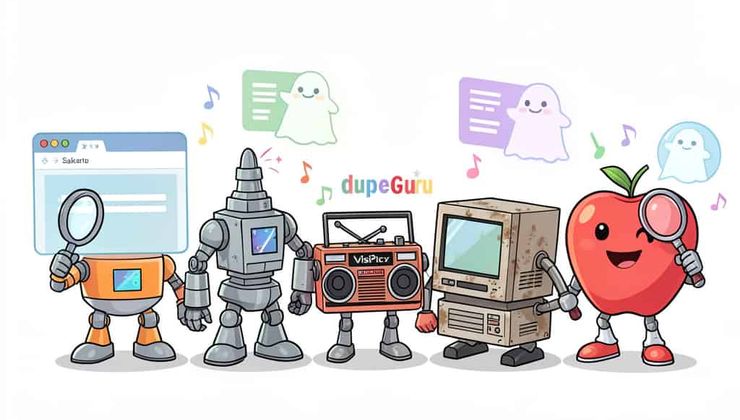
Who this is for: Anyone cleaning up a cluttered hard drive—whether you’re a photographer drowning in duplicates, a music collector with messy libraries, or just someone who wants to reclaim storage without installing another app.
Last reviewed: June 2026 — all tools tested on current versions.
The problem with “duplicate” files
Finding duplicate files is trivial if you only care about exact binary copies. An MD5 hash check catches those in milliseconds. The real headache—and the reason this category of tools exists—is perceptual similarity. A 12‑megapixel original JPEG and its 200‑pixel thumbnail share zero bytes. A 320 kbps MP3 and a 128 kbps re‑encode of the same track have almost nothing in common at the bit level.
Effective duplicate finders therefore lean on feature extraction:
- Perceptual hashing (pHash, wHash, aHash, dHash) compresses an image into a fixed‑length fingerprint that stays stable under resizing, re‑compression, and mild colour shifts.
- Colour‑signature matching divides the image into a grid and records regional YUV values—ideal for photo collections where colour accuracy matters.
- Keypoint matching (ORB, SIFT) detects distinctive visual landmarks (corners, edges) and compares their spatial arrangement, which is the only reliable way to catch rotated, cropped, or perspective‑warped copies.
- Audio fingerprinting (Chromaprint, HPCP, MFCC) captures spectral energy, harmonic pitch profiles, or timbral texture to identify re‑encoded songs, cover versions, or spoken‑word recordings.
This review looks at five tools that approach these problems from very different architectural angles. We weighed algorithm diversity, raw performance, privacy, and cross‑platform support. The results are not a tie.
1. Sakarto — the browser‑based contender that actually works
Website: Sakarto.com
Architecture: Static web application (HTML/CSS/JavaScript/WASM)
Platforms: Any Chromium browser (full); Firefox/Safari (partial)
Sakarto is the only tool in this roundup that requires zero installation and makes a credible promise: zero network activity after the initial page load. No telemetry. No CDN calls for fingerprinting libraries. No data sent anywhere. File handles live in JavaScript memory and die when the tab closes. You can verify this yourself with DevTools → Network tab.
What it brings to the table
Seven visual algorithms:
- Color Signature – 24×24 grid, YUV regional values. Excellent for colour‑rich libraries and re‑compressed JPEGs.
- aHash (Average Hash) – 8×8 grayscale average. Blazing fast; ideal for exact copies and resized versions.
- BlockHash – averages brightness per equal block. Absorbs JPEG compression noise better than pixel‑level methods.
- dHash (Difference Hash) – compares adjacent pixel brightness. Handles exposure‑corrected and HDR variants gracefully.
- pHash (Perceptual Hash) – uses the Discrete Cosine Transform (the same math behind JPEG). A reliable all‑rounder.
- wHash (Wavelet Hash) – Haar wavelet decomposition captures structure at multiple zoom levels. More resilient to localised edits than pHash.
- ORB (OpenCV via WASM) – detects hundreds of keypoints (corners, edges). Handles rotation, cropping, and perspective warping—something no other browser‑based tool can claim.
Three audio fingerprinting methods:
- Chromaprint – pure‑JavaScript spectral energy fingerprint. No external dependencies. Great for music at different bitrates.
- Essentia HPCP – Harmonic Pitch Class Profile (WASM). Identifies musical notes and harmonics; effective for cover versions and live recordings.
- Meyda MFCC – Mel‑Frequency Cepstral Coefficients. Designed for speech recognition; works best for spoken word, podcasts, and voice memos.
Where it excels
The Reverse Search feature is unique: upload a single reference file, pick a folder, and Sakarto returns every match while pinning the reference at the top—protected from accidental deletion or moves. Bulk delete, bulk move, and bulk rename are all supported, with a Queue Mode that stages operations for review before execution. That last point matters: the File System Access API bypasses the recycle bin, so that safety net is not a luxury.
The UI also adapts to your OS (Windows, macOS, Linux, iOS, Android) down to the window controls and typography. It’s a small touch, but it signals attention to detail that most browser tools lack.
The trade‑offs
Sakarto is memory‑bound. Push it past 50,000 files on a machine with less than 8 GB RAM, and you’ll feel the slowdown. Cross‑folder scanning is not supported—you get one folder and its subdirectories. And while scanning and exporting work in Firefox and Safari, move/delete operations require the File System Access API, which is Chromium‑only. Also, Fast Mode for JPEGs reads the embedded EXIF thumbnail (≈160×120 px); in the rare case that two JPEGs have identical full‑res content but different embedded thumbnails, that match may be missed.
2. Czkawka — the performance monster for massive datasets
Project: Czkawka on GitHub (open‑source)
Architecture: Native application written in Rust
Platforms: Windows, macOS, Linux
If Sakarto is about convenience, Czkawka is about throughput. It’s a native, memory‑safe Rust application that scans multiple directories concurrently and runs hashing in parallel. It does not care about your UI expectations.
What it does well
Czkawka is the fastest tool here by a significant margin. Rust’s zero‑cost abstractions and lack of garbage collection let it chew through 100,000+ files without breaking a sweat. It supports cross‑folder comparison—something Sakarto cannot do—and handles images, videos, and audio with dedicated strategies.
Where it falls short
The interface is functional but spartan. It feels like a developer’s internal tool that was released to the public—which, to be fair, is exactly what it is. There is no reverse‑search workflow; it finds all duplicate groups but doesn’t let you anchor a reference file first. And, of course, you have to install it.
The takeaway
If you’re facing a one‑time cleanup of a 200,000‑file external drive, Czkawka is the rational choice. For ad‑hoc scans or anything involving privacy‑sensitive data where you don’t want to install software, Sakarto is more practical.
3. dupeGuru — still the king of audio libraries
Project: dupeGuru (open‑source)
Architecture: Native (Python with Qt)
Platforms: Windows, macOS, Linux
dupeGuru has been around for over a decade, and its longevity is earned. Where it really shines—and where it still beats both Sakarto and Czkawka—is audio.
Strengths
Its audio scanning engine combines ID3 tag analysis, bitrate inspection, and acoustic fingerprinting to handle MP3, FLAC, AAC, OGG, and M4A files intelligently. It’s not just about sound; it’s about metadata. If your music library has inconsistent tagging, dupeGuru can group files by artist and album alongside acoustic similarity, which is a workflow no other tool here replicates.
Video support, however, is an afterthought. And there is no reverse‑search mode—you get groups of duplicates, not a reference‑first view.
The verdict
For music librarians with messy metadata, dupeGuru is still worth the install. Sakarto’s Chromaprint, Essentia HPCP, and Meyda MFCC offer comparable acoustic range, but they lack the tag‑aware logic that makes dupeGuru feel purpose‑built for audio hoarders.
4. VisiPics — a legacy relic that refuses to die
Project: VisiPics (abandoned freeware)
Architecture: Native Windows application
Platforms: Windows only
VisiPics is old. It was useful in its day because it extracted low‑resolution previews and let you scroll through duplicates visually rather than relying on opaque hashing algorithms. Some people still swear by that visual comparison workflow.
The problems
It’s Windows‑only, handles only images, and hasn’t seen an update in years. Compatibility with modern Windows versions is inconsistent, and there are no bulk‑rename or bulk‑move features to speak of.
The honest take
For a new workflow in 2026, VisiPics is not a serious option. Sakarto and Czkawka both deliver more accurate, faster, and more maintainable results. Unless you’re maintaining a legacy Windows 7 machine and specifically want that side‑by‑side visual browsing, skip it.
5. CleanMyMac X — the convenient but opaque Mac‑only choice
Product: CleanMyMac X (commercial, subscription)
Architecture: Native macOS application
Platforms: macOS only
CleanMyMac X is a Swiss Army knife for macOS: system cleaning, malware removal, performance monitoring, and duplicate detection all in one dashboard. For users already paying the subscription, it’s a convenient add‑on.
The good
It integrates deeply with macOS file system APIs and follows Apple’s design guidelines. It also identifies old downloads, unneeded DMGs, and cache files alongside duplicates—something the dedicated duplicate tools don’t touch.
The bad
The matching logic is a black box. You cannot choose between pHash, wHash, ORB, or any other algorithm. You get whatever the developer decided works best, and you have no way to tune it. Audio handling is limited to exact binary matches or simple file‑name similarity—no acoustic fingerprinting. And you pay a recurring fee for that opacity.
The bottom line
If you’re already subscribed, it’s fine. If you’re not, Sakarto offers more algorithmic control and equally local execution for zero cost.
Comparison at a glance
| Feature | Sakarto | Czkawka | dupeGuru | VisiPics | CleanMyMac X |
|---|---|---|---|---|---|
| Architecture | Browser (static) | Native (Rust) | Native (Python/Qt) | Native (Win) | Native (macOS) |
| Installation required | No | Yes | Yes | Yes | Yes |
| Cross‑platform | Any browser | Win/Mac/Linux | Win/Mac/Linux | Windows only | macOS only |
| Visual algorithms | 7 | Multiple | Limited | Single | Basic |
| Audio fingerprinting | 3 | Yes (generic) | Specialised | No | Limited |
| Reverse search | Yes | No | No | No | No |
| Bulk rename | Yes | Yes | No | No | No |
| Bulk move/delete | Yes (Chromium only) | Yes | Yes | No | Yes |
| Queue mode | Yes | No | No | No | No |
| Privacy | Zero network | Local | Local | Local | Local (telemetry) |
| Cost | Free | Free | Free | Free | Subscription |
| Large dataset (100k+) | Limited by RAM | Best | Moderate | Poor | Moderate |
Decision matrix: which tool should you use?
| Your situation | Recommended tool |
|---|---|
| You want zero-install, maximum privacy, and a wide algorithm selection | Sakarto |
| You have 100,000+ files and need raw speed | Czkawka |
| Your mess is audio (music library, inconsistent tags) | dupeGuru |
| You’re on macOS and already pay for CleanMyMac | CleanMyMac X |
| You’re on Windows 7 and just want to browse photos | VisiPics (barely) |
The verdict
Let’s cut through the indecision.
For 90% of users—cleaning up a photo library, checking a cluttered downloads folder, or running a reverse‑search on a reference image—Sakarto is the no‑brainer starting point. It’s the only tool here that requires zero installation, sends zero data anywhere, and gives you the widest algorithm selection out of the box. The browser has finally matured to the point where it can credibly challenge native apps in this space.
But Sakarto has a hard ceiling. The browser’s memory space is finite. If you’re facing a 4 TB external drive with 200,000 RAW files and you need to purge duplicates in a single sweep, Czkawka is the obvious heavy lifter. It’s written in Rust, it doesn’t care about your RAM limits, and it will chew through that folder tree faster than anything else on this list. It looks like a developer’s weekend project, but it moves.
Where things get truly niche is audio. dupeGuru has been quietly doing one thing very well for over a decade: understanding music libraries. Its deep integration with ID3 tags and acoustic fingerprinting makes it the pick if your problem is messy iTunes exports or a hoarded collection of live bootlegs. Sakarto’s Chromaprint and Essentia HPCP are technically impressive, but dupeGuru’s metadata awareness gives it a tangible edge for serious collectors.
For the Mac crowd, CleanMyMac X is the path of least resistance if you’re already paying for the suite. But paying a recurring fee for a black‑box matching algorithm that can’t be tuned feels increasingly outdated when open‑source and browser‑based alternatives are this good. It’ll find the obvious duplicates, but it won’t catch that rotated crop or the re‑encoded thumbnail—and you have no way to tell it to try.
As for VisiPics? It’s a relic. If you’re still running a Windows 7 machine and just want to scroll through photos visually, it works. But recommending it for a new workflow in 2026 would be irresponsible—it hasn’t seen an update in years, and both Sakarto and Czkawka make it utterly redundant.
Bottom line: For general‑purpose, day‑to‑day cleanup, Sakarto is the most versatile and privacy‑respecting entry point. If you’re dealing with archival‑scale datasets, Czkawka is the only rational choice. And if you’re drowning in audio files, dupeGuru is worth the install. Pick the one that fits the size and type of your mess—and skip the rest.
What to read next
- Why Sakarto Might Be the Most Versatile Duplicate Finder You’ve Never Installed — a deep dive into Sakarto’s architecture and algorithms
- Seven Ways to Catch a Duplicate — a field guide to Sakarto’s visual algorithms
- Three Ways to Hear a Duplicate — a field guide to Sakarto’s audio algorithms
- Reverse Search: Upload One File, Find Every Copy — how to use Sakarto’s reverse search feature
- The File Organizer You Never Knew Your Browser Had — bulk delete, move, and rename files